 Layerswap
Layerswap Deposit Widget for Fixed Recipients
Layerswap provides a Deposit Widget that fixes the receiving address and destination network for an app. Users select an available funding method and, if the app accepts several destination tokens, a receiving asset. This arrangement suits wallet funding, account top-ups and other deposits into a recipient address that the app already knows.
In short: Route availability determines which funding methods the Deposit Widget can offer for the destination fixed by an app.
Can the sender change the receiving address?
The Deposit Widget takes its recipient from the host app and never asks the sender to enter a different receiving address. The app also fixes the destination network. Users choose how to fund that destination through the methods available to them.
The receiving address and a generated deposit address have different jobs. The first identifies the destination recipient. A deposit address supplies a source-side funding instruction for the swap. Selecting deposit-address funding does not replace the recipient that the app configured.
The quote summary hides the receiving-address row by default. Setting
showDestinationAddress
to
true
displays its 'Send to' row. That setting changes visibility;
destinationAddress
supplies the recipient. The host app therefore needs to provide the correct receiving address regardless of whether it displays that row.
The standard Swap Widget also supports user-directed destination choices unless the integration locks them.
The separate component and the Deposit tab
The Swap Widget's Deposit tab generates an address or QR code inside the swap interface and can use the destination wallet connected by the user. Its former name was Easy Deposit. The dedicated
LayerswapDepositWidget
starts with funding-method selection, with the host app supplying the recipient before the user begins. Both belong to the same widget system and share theming and callbacks.
Receiving assets within the fixed network
The app supplies one destination network and an allow-list of receiving tokens, leaving permitted asset choices within that network. A fixed network can accept several destination tokens without letting users switch chains. The
destination
prop carries the network and token configuration separately from the recipient address. Its network field uses a canonical API identifier, while its tokens field accepts token symbols.
The destination token allow-list
The widget drops destination tokens that do not match an active token on the selected network. The visible choices therefore reflect valid entries, rather than every symbol that the app supplied. Source-side route availability remains a separate condition. An accepted receiving asset does not establish a route from every possible funding source.
One valid receiving token
A single valid token removes the receiving-token picker and selects that asset automatically. The user still chooses an available funding method.
Multiple valid receiving tokens
More than one accepted token exposes a 'You receive' picker. The sender selects one receiving asset for the deposit. Each choice stays on the network configured by the host app.
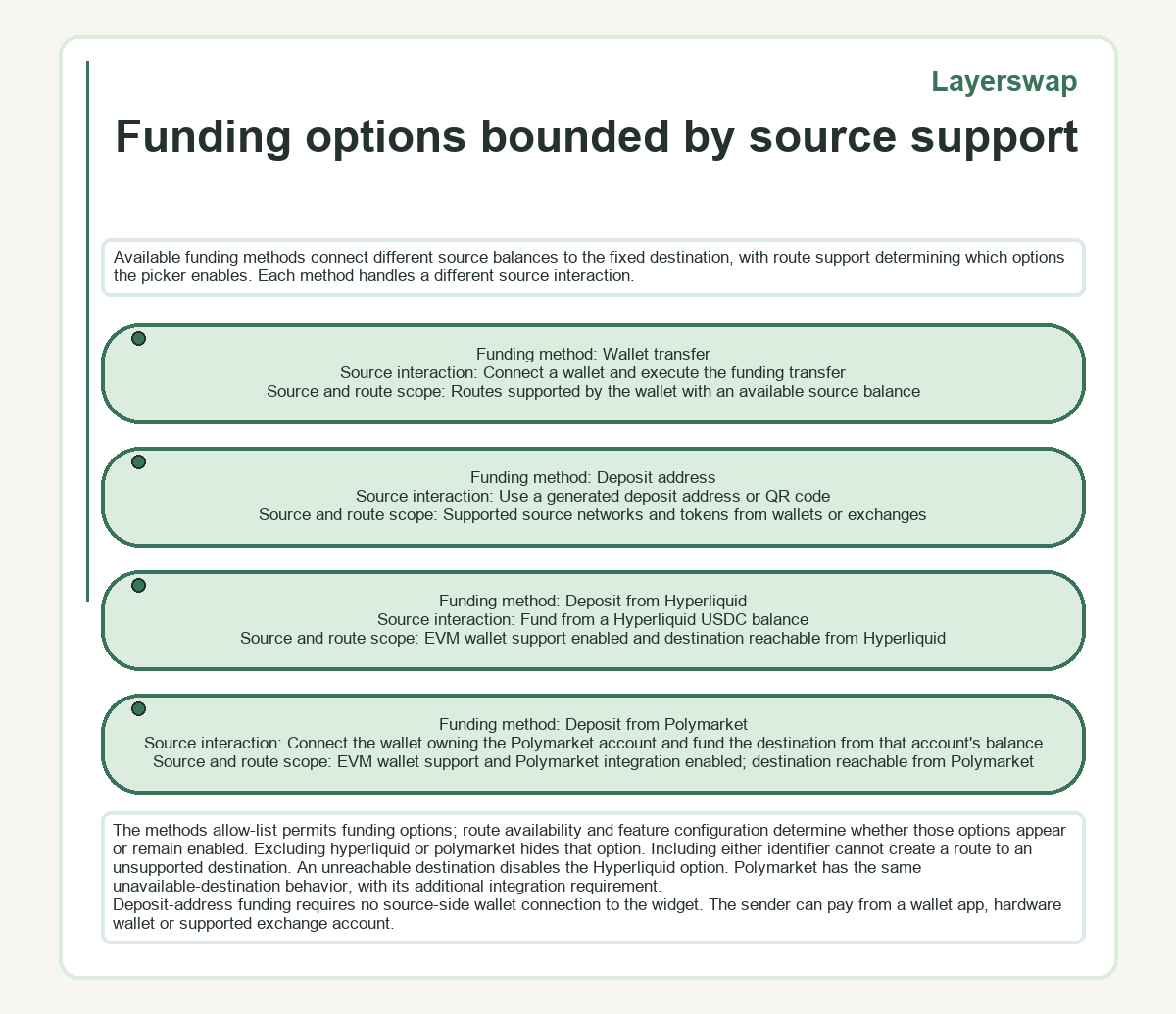
Funding options bounded by source support
Available funding methods connect different source balances to the fixed destination, with route support determining which options the picker enables. Each method handles a different source interaction.
| Funding method | Source interaction | Source and route scope |
|---|---|---|
| Wallet transfer | Connect a wallet and execute the funding transfer | Routes supported by the wallet with an available source balance |
| Deposit address | Use a generated deposit address or QR code | Supported source networks and tokens from wallets or exchanges |
| Deposit from Hyperliquid | Fund from a Hyperliquid USDC balance | EVM wallet support enabled and destination reachable from Hyperliquid |
| Deposit from Polymarket | Connect the wallet owning the Polymarket account and fund the destination from that account's balance | EVM wallet support and Polymarket integration enabled; destination reachable from Polymarket |
The
methods
allow-list permits funding options; route availability and feature configuration determine whether those options appear or remain enabled. Excluding
hyperliquid
or
polymarket
hides that option. Including either identifier cannot create a route to an unsupported destination. An unreachable destination disables the Hyperliquid option. Polymarket has the same unavailable-destination behavior, with its additional integration requirement.
Deposit-address funding requires no source-side wallet connection to the widget. The sender can pay from a wallet app, hardware wallet or supported exchange account.
Quotes and destination gas within the deposit
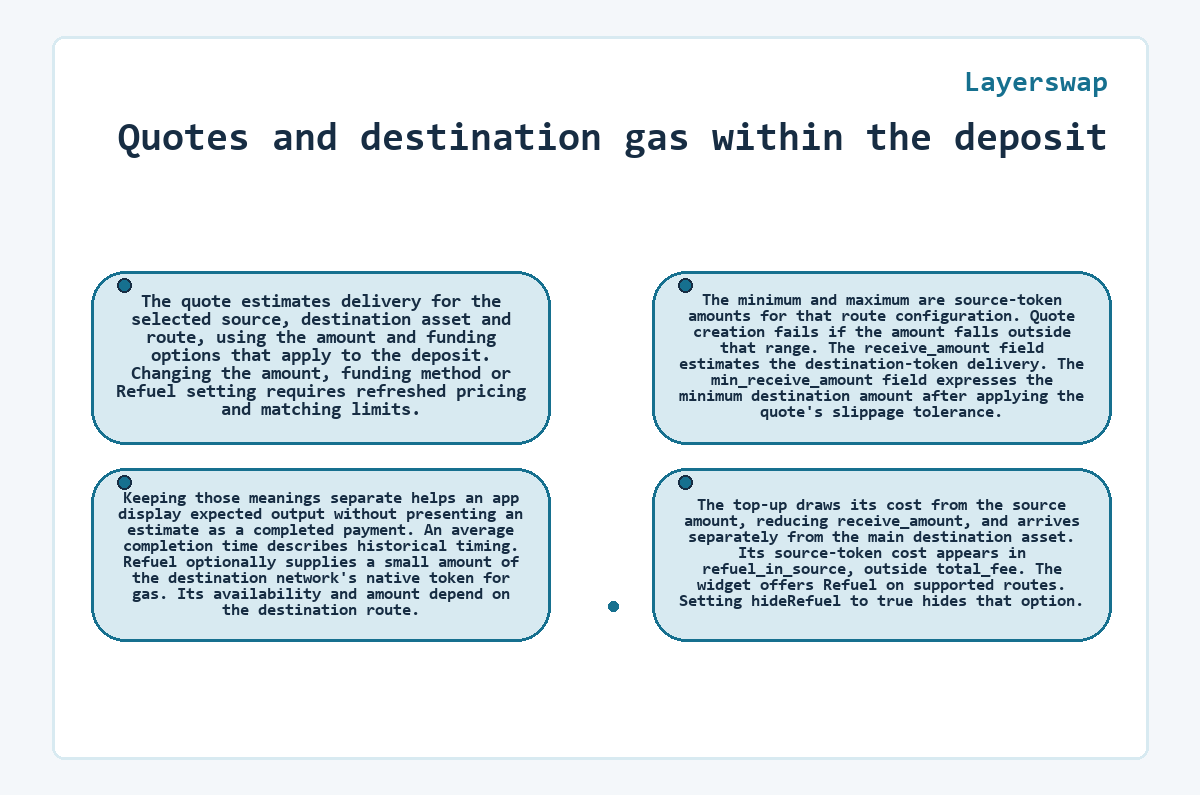
The quote estimates delivery for the selected source, destination asset and route, using the amount and funding options that apply to the deposit. Changing the amount, funding method or Refuel setting requires refreshed pricing and matching limits. The minimum and maximum are source-token amounts for that route configuration. Quote creation fails if the amount falls outside that range. The
receive_amount
field estimates the destination-token delivery. The
min_receive_amount
field expresses the minimum destination amount after applying the quote's slippage tolerance. Keeping those meanings separate helps an app display expected output without presenting an estimate as a completed payment. An average completion time describes historical timing.
Refuel optionally supplies a small amount of the destination network's native token for gas. Its availability and amount depend on the destination route. The top-up draws its cost from the source amount, reducing
receive_amount
, and arrives separately from the main destination asset. Its source-token cost appears in
refuel_in_source
, outside
total_fee
. The widget offers Refuel on supported routes. Setting
hideRefuel
to
true
hides that option.
Embedding and verified Widget delivery
The component renders inline or opens in a dialog from a button, using the same verified delivery pipeline as the Swap Widget. The
mode
prop selects the presentation. In button mode,
buttonLabel
supplies the trigger's visible text;
config.theme
controls the shared theme.
A React integration imports
LayerswapDepositWidget
from
@layerswap/widget-react
. Widget integrations require a Partner Dashboard API key. Mainnet and testnet keys select their respective environments, while the destination configuration defines the network, tokens and recipient for the deposit.
The React and JavaScript loading packages verify remote widget code before execution, including checks against SHA-384 integrity metadata. These checks concern delivery of the code; they do not validate the recipient that the host app supplies. The loader verifies the delivery manifest's signature using ECDSA P-256.
What to know about Layerswap
-
How can the Deposit Widget reuse an app's EVM wallet connection?
- The Deposit Widget accepts wagmiConfig to reuse the host app's existing EVM wallet connection. It inherits wallet configuration props from the Swap Widget, including walletProvidersConfig for filtering chains. These settings configure wallet access while destinationAddress continues to specify the recipient fixed by the app.
-
What does defaultAmountUsd change in the Deposit Widget?
- The defaultAmountUsd prop seeds the wallet flow with a USD-denominated amount after the user selects a source token. Its documented default is 1 USD, and setting it to 0 disables seeding. The setting initializes the amount; route limits and the selected funding configuration still determine whether that amount can receive a quote.
-
Why does the Deposit Widget dialog stay open during a transfer?
- The Deposit Widget prevents accidental dismissal during an active transfer by hiding the dialog's close button and ignoring outside clicks. This behavior applies while the transfer is in flight. Button mode opens the widget in a dialog, while inline mode places it directly within the host page.
-
Where can an app receive status events from Deposit Widget transfers?
- The inherited onSwapStatusChange callback provides status events for Deposit Widget swaps. Its payload contains type and swapId, with path optional. The swap ID identifies the overall transfer. A swap can contain several transactions, each with its own type and status, so the overall swap status and an individual transaction status describe different objects.
-
Which setting changes the Deposit Widget's submit button text?
- The actionButtonText prop changes the action button inside the funding flow. It is separate from buttonLabel, which labels the external trigger in button mode, and title, which sets the widget header. These labels customize the interface without changing the configured recipient, accepted assets or available funding methods.